A relevant xkcd:
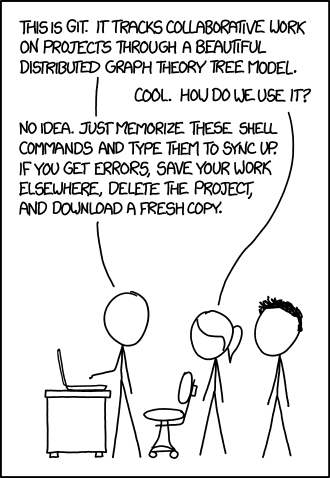
When I first encountered Github as a wee lad, the only thing I knew was how to clone, pull, and push. If anything went wrong, I would genuinely delete everything and start over as I was sincerely clueless how this all worked. It seemed all too complicated. I'm glad I'm not the only one who felt that way.
Imagine my surprise when I work through learngitbranching, perhaps 10 years after seeing Git tools for the first time, and I learn that:
1. Branches are nothing but pointers. `main` branch? `bug_fix` branch? `$important_name` branch? Those are pointers to a commit, which is a node in a tree. Additional commits move the pointer along. At the same time, we can forcibly move the branch pointer to a different start point using `git branch -f `. Branches are like, just an idea.
2. `origin/main` is a remote branch that tracks `main` on the remote. The remote branch is stored locally: your `main` branch is compared with `origin/main` to figure out where new commits (either on remote or local) will go. We can even set `origin/main` to track a local branch that is named something else, like `foo` using `git branch -u`
3. merge and rebase: Merging creates a commit with two parents. This makes sense when merging with pull requests / new feature branches. This can be messy for navigating histories. Rebasing changes the start point for the branching commits e.g. if branch `main` is updated and we want those commits in our `dev` branch, we use a rebase to bring them over. In general. rebase lets us move commits around.
4. pull = fetch + merge. Even better, you can have a cleaner history if you `git pull --rebase`
5. It's all easier with tree view. Seriously. If you have a mental model that looks like this:

this will clearly beat whatever spaghetti you can see with git bash.

- which is probably why VS Code has a nice git tree and I should be using that. That's all for today. Happy surviving.

No comments:
Post a Comment